
|
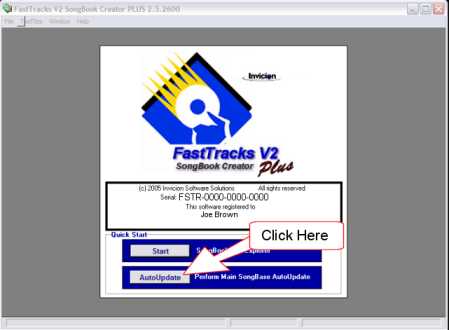
Step 1: Log on to the Internet Step 2: Launch FastTracks V2 SongBook Creator Step 3: From the "Quick Start" menu click the "AutoUpdate" button |
| Step 4: From the Next Screen Click "Next" |
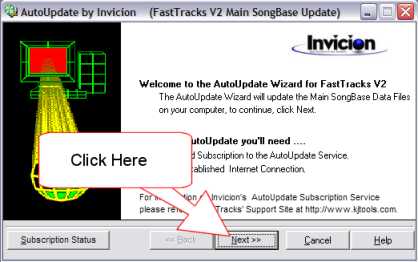
The AutoUpdate should commence and requires no further User intervention.